
myQ Garage & Access Control
The Chamberlain Group LLCLifestyle
3.659.68K Reviews
- Version
- 5.324.0.1132442
- Installs
- 10.00M
- Age Rating
- Everyone
Screenshots
Our Review of myQ Garage & Access Control
 Analysis by Appyee
I use myQ Garage & Access Control as a practical bridge between my phone and the garage door, but I do not treat it like a simple remote button. It sits in the Lifestyle category, comes from The Chamberlain Group LLC, and is free to install. In everyday use, its value depends less on flashy extras and more on whether your garage equipment fits into the myQ ecosystem and whether you are comfortable managing access through an account.
That distinction matters. A garage app handles an entrance to your home, so convenience is only half the decision. I want the door command to be easy to find, the account controls to be understandable, and the app to give me enough visibility to avoid opening the garage by mistake. My overall impression is useful but conditional: myQ is strongest when it replaces a messy collection of remotes, uncertain door checks, and informal access arrangements. It is less compelling if you only want a local button or if your existing garage hardware does not work with it.
What the app feels like in real household use
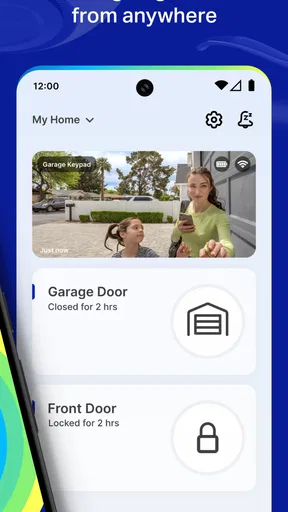
The basic appeal is easy to understand. Instead of walking back to the garage to check the door, I can use the phone interface to interact with the connected garage setup. That is particularly helpful when leaving home in a hurry, arriving with full hands, or wondering later whether the door was closed. The app’s store summary describes it as smart garage and access control, and that is a better description of its role than calling it merely a remote.
A realistic example is an evening departure. I might load groceries, drive away, and then remember that I cannot clearly recall hearing the garage door finish closing. With a conventional remote, I would either turn around or accept the uncertainty. With myQ, the useful workflow is to check the app before making that decision. That small moment is where the product earns its place: it turns a physical routine into something I can verify from the phone I already carry.
The same idea works for households with different schedules. One person may leave early, another may return later, and the garage can become the practical entry point rather than the front door. Access control is therefore more useful than a bare open-and-close command, provided everyone understands which account or invitation they use and what access they are expected to have. I would set this up deliberately rather than handing out access casually.
The interface is not something I would choose for entertainment or exploration. I open it with a specific purpose, and I want the important control to be obvious. That makes the app’s success depend on clarity, reliable sign-in, and a predictable connection between the screen and the physical door. If any of those steps feels uncertain, the convenience disappears quickly.
Compatibility should be the first checkpoint
Before installing it, I would identify the exact garage opener, hub, or connected equipment in the home and check whether it belongs in the myQ setup. This is the most important practical question because a polished app cannot compensate for incompatible hardware. The fact that the app is widely installed does not automatically mean it will work with every opener, retrofit, or building arrangement.
I would also think about the physical layout. A detached garage, a shared residential entrance, or a home with more than one door can create different expectations from a single-door household. The app may be useful in each case, but the setup and access decisions deserve attention. I would not assume that a phone-based control is a complete replacement for every physical safety habit, especially when children, visitors, or service workers are involved.
On the software side, the current version is 5.316.0.1131466 and the minimum operating-system requirement is 12. That makes the app a reasonable candidate for users on relatively current devices, but it also means an older phone may be excluded before the garage hardware is even considered. I would check the operating-system requirement first rather than spending time on account setup and discovering the limitation later.
Trust begins with the account, not the icon
Because the app can be connected to access around the home, I pay more attention to account behavior here than I would with an ordinary lifestyle tracker. The developer is The Chamberlain Group LLC, and the app has built a substantial audience: it has more than ten million installs, with an average rating of 3.6 from roughly one hundred twenty-nine thousand ratings. Those figures suggest broad use, but they also tell me to read recent user feedback with care instead of treating popularity as proof that every setup is smooth.
Ratings are especially limited as a trust signal for a garage-control product. A complaint may involve a sign-in problem, a particular opener, a network condition, or an access-sharing expectation rather than the same issue I will face. I would look for patterns involving account recovery, device changes, invitations, notifications, and the behavior of the physical opener. For this kind of app, the details behind a lower rating are more useful than the number by itself.
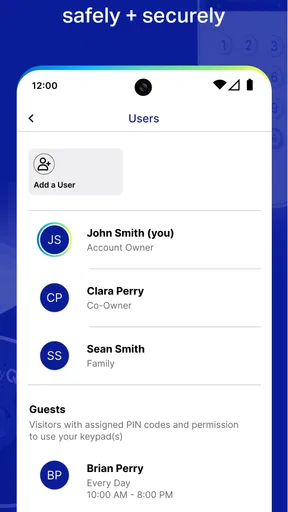
I also avoid creating a shared household login if individual account controls are available. A shared password may seem simpler, but it makes it harder to know who has access and harder to remove one person without affecting everyone. My preferred approach is to keep the primary account limited to the household owner, then use the app’s visible access options for other people where appropriate. I would review those people periodically, particularly after a move, a change in household arrangements, or the end of a contractor’s work.
That is not a criticism unique to this product. It is a general rule for connected entry systems, but myQ makes the rule more important because the app is tied to a physical opening. I want the account screen, access list, and sign-out behavior to be treated as part of the security routine, not as setup details I forget once the door responds.
What I would inspect before granting access
When another person needs garage access, I would first decide whether they need continuing access or only a temporary arrangement. A family member with a regular schedule is different from a cleaner, delivery arrangement, or repair worker. If the app presents choices around invitations, schedules, or permissions, I would read them rather than accepting the default automatically. The important question is not just “can this person open the door?” but “for how long, and under what conditions?”
I would also ask the recipient to use their own account if the system supports that workflow, rather than sending my credentials. That preserves a clearer boundary and reduces the chance that an old password remains active on someone else’s phone. After access is no longer needed, I would remove it and confirm that the change is reflected in the app. I would not rely on memory, especially in a busy household.
A useful habit is to keep a small mental separation between door status and access permission. Knowing that the door is closed does not tell me who can open it later. Likewise, removing a person’s access does not necessarily answer whether the door is currently open. I would check both areas independently when the situation matters. This is one of the less obvious lessons of using a smart-entry app: status and authorization are related, but they are not the same control.
Data-sensitive moments deserve extra attention
Any app connected to a garage naturally creates data-sensitive moments. Opening and closing activity can reveal patterns about when people leave, return, or expect access. I do not need to assume anything beyond that practical reality to justify caution. I would review the app’s privacy information and the choices shown during setup, paying attention to what information is requested, why it is needed, and which settings I can change later.
I would also avoid granting phone permissions reflexively. If the app asks for access to a device feature, I would consider whether that permission is necessary for the function I want. A permission prompt is a user decision, not a step to dismiss automatically. If I decline something and a feature stops working, that gives me useful information about the relationship between the permission and the feature; I can then decide whether the convenience is worth enabling it.
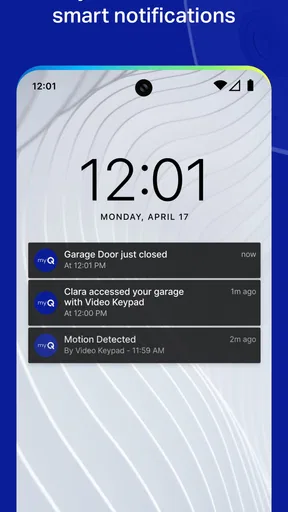
Notifications are another area where user choice matters. A notification that helps me notice a door event can be valuable, but notifications can also appear on a lock screen where other people may see them. I would choose a level of detail that fits my household and phone habits. On a shared or frequently visible device, I would be cautious about exposing more information than necessary in previews.
I would make the same distinction with location-related choices. If a feature works better with location access, I would still ask whether I need that feature all the time or only in specific situations. Selecting the narrowest practical option is a sensible way to preserve control. I would not describe a permission as harmless merely because the app’s main purpose is convenient.
Account recovery deserves similar care. I would use a strong, unique password and keep recovery information current. If the app offers security controls such as additional verification, I would enable them when they fit my routine. I would also avoid leaving the account signed in on a phone that other people use freely. These steps are not glamorous, but they are more meaningful to trust than a polished control screen.
Where myQ is better than the usual alternatives
The usual alternative is a physical remote kept in the car or near the door. That option is wonderfully simple: it does not need an app screen, a phone battery, or an account login. For a single resident who only wants to open the door while sitting in the driveway, the remote may remain the better tool. I would not replace a dependable physical control just because an app exists.
myQ becomes more attractive when the problem is uncertainty or shared access. A remote cannot normally help me check the garage after I have driven away, and it does not offer the same account-centered way to manage different users. The app also keeps the control close to the device I already use for messages, navigation, and household tasks. That consolidation can be genuinely useful, although it creates dependence on the phone and service connection.
Compared with a general smart-home platform, myQ has a more focused purpose. A broad platform may be preferable for someone who wants garage control alongside many unrelated household devices in one automation system. On the other hand, a focused garage app can be easier to understand for a household that only needs this one connected-entry function. I would choose based on the existing equipment and the importance of having one central home-control system, not on the number of features shown in an app store.
The trade-off is that myQ is not just a local replacement for a wall button. It introduces account management, software updates, phone compatibility, and service dependence into a task that used to be mostly physical. That is acceptable to me when remote checking and controlled sharing solve real problems. It is unnecessary complexity when the household has one opener, one user, and no need to operate it away from the garage.
Small habits that make the setup safer and less frustrating
My first habit would be to test the app while standing near the garage, with the physical controls available, before depending on it from a distance. I would verify that the door responds as expected and that I understand the status shown on screen. Testing close to the equipment makes it easier to distinguish an account or setup issue from a connectivity problem.
My second habit would be to keep a backup plan. A phone can be misplaced, uncharged, offline, or unavailable to the person who needs entry. I would make sure the household understands its normal physical alternative and would not remove every other method until the app has proved dependable in real routines. Convenience is stronger when it does not create a single point of failure.
My third habit would be to review access after life changes. If a guest no longer visits, a tenant moves out, or a service relationship ends, I would remove that access immediately. I would also check the account after changing phones. Device replacement is exactly the kind of moment when people forget which sessions, permissions, or recovery details remain active.
A fourth useful habit is to avoid testing commands casually when the door’s surroundings are not visible. A remote command has a physical consequence. I would check the area when possible and teach other users not to treat the app like a harmless light switch. This is especially important in homes where children, pets, vehicles, or stored equipment may be near the door.
Who should choose it, and who should skip it
I would recommend myQ to someone who regularly wonders whether the garage is closed, needs to coordinate access with other people, or wants a phone-based way to manage a compatible connected opener. It also makes sense for a household where the garage is a frequent entry point and the ability to review or control it away from home has clear daily value.
I would be more cautious for a person who dislikes accounts, avoids connected-home products, or expects every function to work without an internet connection. I would also steer a user toward a simpler physical remote if the only goal is opening the door from the driveway. The app is not automatically an upgrade in that situation; it adds a digital layer that may not solve a real problem.
People with older phones should check the operating-system requirement before making plans. Likewise, anyone living in a building with shared garage equipment should confirm that they are allowed to connect or manage the relevant opener. A personal app cannot resolve building-level rules or hardware limitations. These practical checks are more important than the app’s install count.
My cautious verdict after weighing convenience and control
myQ Garage & Access Control is a useful lifestyle app when its connected garage role matches the way I live. I like the idea of checking the door after leaving, reducing uncertainty during busy routines, and handling household access with more structure than a shared remote. The free price makes trying the app easier, and its Everyone content rating keeps it broadly approachable for households.
Still, I would not call it a universal replacement for a physical remote or a complete smart-home solution. The experience depends on compatible equipment, a suitable phone, an account that I manage carefully, and permissions and privacy choices that I should review rather than accept blindly. The average rating of 3.6 is a reminder to approach setup realistically: the concept is valuable, but individual experiences can vary with hardware and household expectations.
My final recommendation is therefore conditional but positive. If remote garage awareness and controlled access would remove genuine friction from your day, I think myQ is worth evaluating. Set it up near the door, keep a backup method, use separate access arrangements where possible, and revisit account and permission choices over time. If you only need a dependable local button, the traditional alternative may be simpler and more trustworthy for your particular routine. I would choose myQ for visibility and shared control, not merely because putting a garage door on a phone sounds modern.
Privacy and Permissions
See what permissions an app requests and how it handles your data.
- Identity
- find accounts on the device
- Contacts
- find accounts on the device, read your contacts
- Location
- approximate location (network-based), precise location (GPS and network-based)
- Phone
- directly call phone numbers, read phone status and identity
- Photos/Media/Files
- read the contents of your USB storage, modify or delete the contents of your USB storage
- Storage
- read the contents of your USB storage, modify or delete the contents of your USB storage
- Camera
- take pictures and videos
- Microphone
- record audio
- Wi-Fi connection information
- view Wi-Fi connections
- Device ID & call information
- read phone status and identity
- Other
- view network connections, pair with Bluetooth devices, access Bluetooth settings, change network connectivity, connect and disconnect from Wi-Fi, full network access, run at startup, reorder running apps, control vibration, prevent device from sleeping, read Google service configuration
Verdict
Strengths of myQ Garage & Access Control
- Remote garage door control from anywhere with internet access.
- Real-time door status helps prevent accidentally leaving it open.
- Supports guest access without sharing your main account password.
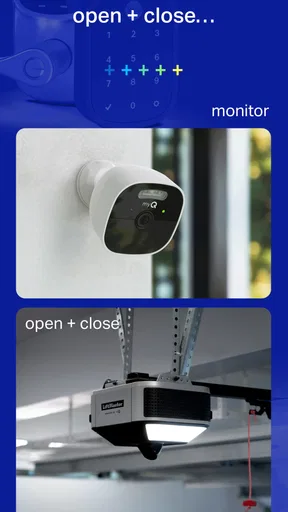
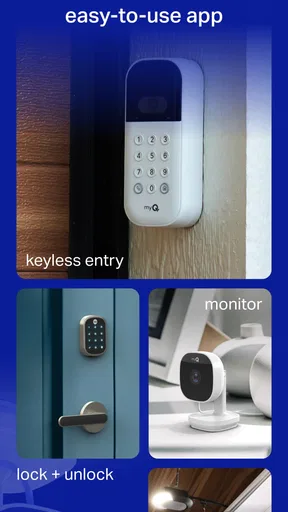
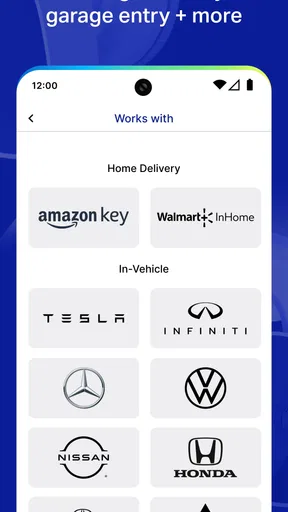
- Works with selected smart locks, cameras, and access devices.
- Activity history makes it easier to monitor household entry events.
Limitations of myQ Garage & Access Control
- Many features require compatible myQ hardware and a stable Wi-Fi connection.
- Remote operation may be delayed by weak connectivity or service outages.
- Some integrations and advanced features may require extra subscriptions.
- Setup can be confusing when pairing older garage door openers.
- Notifications may become excessive if multiple access events are enabled.
Other Releases by The Chamberlain Group LLC
View All
myQ Community
Lifestyle4.4
Similar Picks in This Category
View All
SmartThings
Samsung Electronics Co., Ltd.4.6

Google Home
Google LLC4.0

Pinterest4.2

Astrotalk - Talk to Astrologer
Astrology & Horoscope4.7

My Verizon
Verizon Consumer Group4.5

Samsung Wallet (Samsung Pay)
Samsung Electronics Co., Ltd.4.1
Frequently Asked Questions
What is myQ Garage & Access Control used for?
myQ Garage & Access Control is a smart-home app that lets you monitor and manage compatible garage doors, gates, and access points from a mobile device. After connecting supported equipment, you can check whether a door is open or closed, operate it remotely, receive activity notifications, and in some setups share access with family members, guests, or service providers. Available features depend on your hardware, region, and account type.
Is myQ compatible with every garage door opener?
No. Compatibility depends on the brand, model, age, and configuration of your garage door opener or access controller. Many supported systems require a myQ-enabled opener, a compatible hub, or an additional smart garage device. Before downloading or purchasing hardware, check the official compatibility list and confirm that your Wi-Fi connection, phone, and opener meet the requirements. Some older or unusual installations may need professional setup.
Can I open or close my garage door remotely with the app?
With compatible equipment and an active internet connection, myQ can usually let you open or close the garage door remotely and display its current status. The app may request confirmation before operating the door, which helps prevent accidental activation. Remote control should not replace normal safety checks: make sure people, pets, vehicles, and objects are clear, and never rely solely on the app’s status during an emergency.
Does myQ Garage & Access Control require a subscription?
Basic monitoring and control features may be available without a recurring subscription when you use compatible myQ hardware, but certain services can require payment. These may include video features, smart access integrations, delivery-related services, business tools, or advanced access management. Plans and availability can change by country and product, so review the current pricing and terms shown in the app before purchasing equipment or activating premium features.
Is myQ Garage & Access Control safe and reliable to use?
The app is designed to provide secure access management through account authentication, connected hardware, and activity records, but its reliability also depends on your internet connection, phone notifications, power supply, and garage equipment. Use a strong, unique password, enable available security protections, keep the app updated, and review shared users regularly. If the connection fails, use your garage’s manual controls or physical access methods.
